
Creating content for the web used to be a task reserved for those who could speak in code. Developers would painstakingly write HTML and CSS to structure and style every piece of content, a process that was both time-consuming and required specialized knowledge. Today, the landscape has changed dramatically thanks to the rise of WYSIWYG editors.
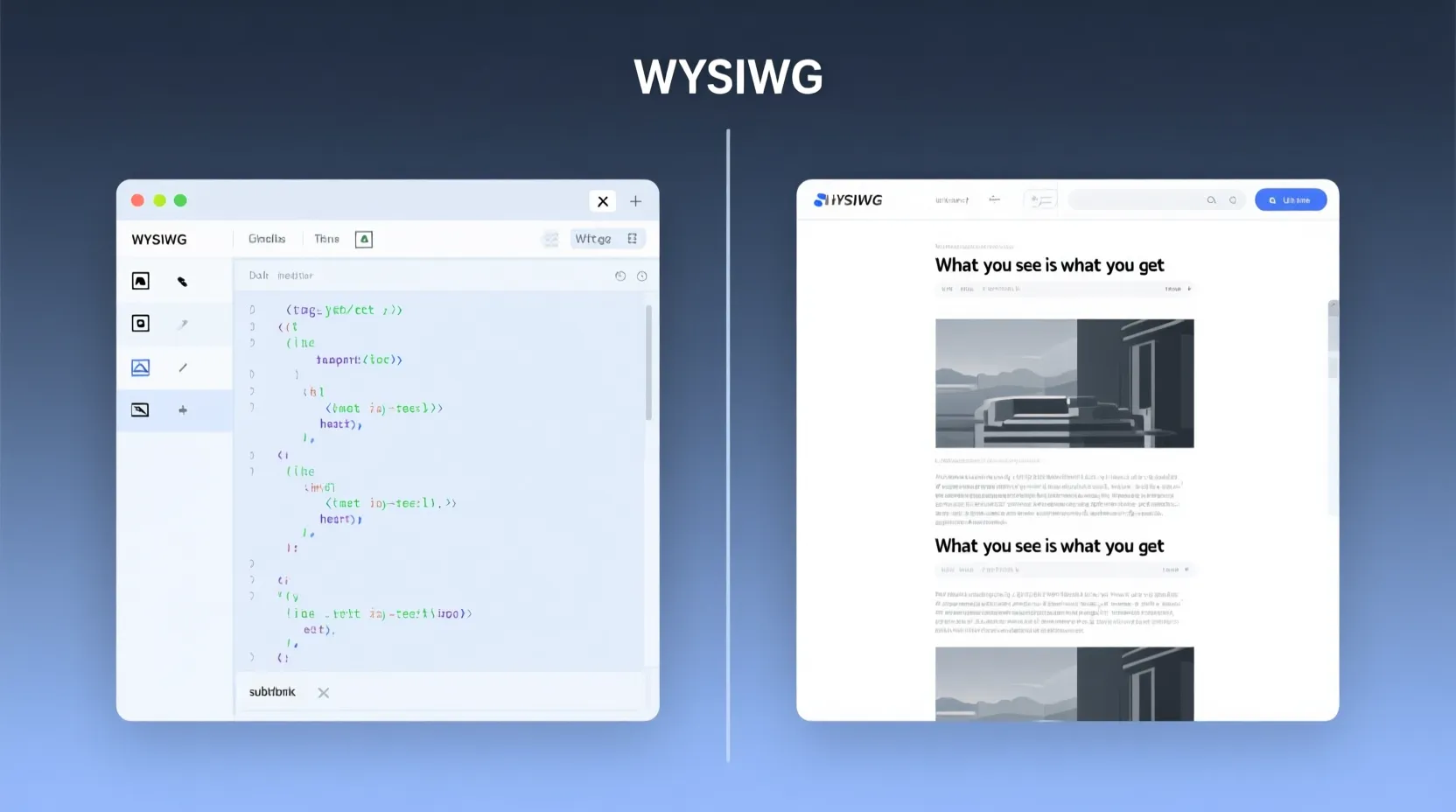
WYSIWYG, which stands for “What You See Is What You Get,” refers to an editor that allows you to create and edit content in a form that closely resembles its final appearance. Instead of manipulating code, you use a familiar, intuitive interface with buttons for formatting text, inserting images, and creating tables, much like using a word processor. The editor handles the underlying code, freeing you to focus on the content itself.
For both web developers and content creators, understanding WYSIWYG editors is essential. They streamline workflows, empower non-technical users to manage website content, and bridge the gap between design and development. This guide will explore the history of these powerful tools, their key features, and how to choose the right one for your project.
The Evolution of Content Creation
The journey to modern WYSIWYG editors began in the 1970s. Before them, text editors were purely functional, showing only plain text without any formatting. To format a document, users had to insert markup tags that told a separate program how to print the final document. You couldn’t see what the document looked like until it was printed.
The first true WYSIWYG editor was a word processing program called Bravo, developed at the Xerox Palo Alto Research Center (PARC) in 1974. It was designed for the Xerox Alto, one of the first personal computers with a graphical user interface (GUI). For the first time, users could see bolding, italics, and different fonts directly on the screen as they typed.
This concept was popularized in the 1980s with the arrival of the Apple Macintosh and Microsoft Windows, which brought GUIs to the masses. Software like MacWrite and Microsoft Word made WYSIWYG editing the standard for document creation. When the World Wide Web emerged in the 1990s, this technology was adapted for creating web content. Early web design tools like Microsoft FrontPage and Adobe Dreamweaver offered a visual interface, allowing users to build web pages without writing HTML by hand. This innovation opened up web publishing to a much broader audience.
Key Features of Modern WYSIWYG Editors
Today’s WYSIWYG editors are sophisticated tools packed with features designed to simplify content creation. While the exact functionalities can vary, most include a core set of features.
Rich Text Formatting
This is the most fundamental feature. Users can apply common formatting options through a toolbar, just like in a word processor. This includes:
- Text styling: Bold, italic, underline, and strikethrough.
- Headings: Applying H1, H2, H3, and other heading levels for semantic structure.
- Lists: Creating ordered (numbered) and unordered (bulleted) lists.
- Alignment: Justifying text to the left, center, right, or full.
Media and Table Insertion
A good WYSIWYG editor makes it easy to add more than just text. You can typically insert various types of media, such as:
- Images: Uploading images, resizing them, and adding alt text for accessibility.
- Videos: Embedding videos from platforms like YouTube or Vimeo.
- Tables: Creating and editing tables to organize data, with controls for adding or deleting rows and columns.
HTML Code View
For developers and advanced users, the ability to switch between the visual editor and the raw HTML code is crucial. This “source” or “code” view allows for fine-tuning the output, adding custom attributes, or debugging formatting issues that are difficult to fix in the visual mode. This hybrid approach offers the best of both worlds: the speed of visual editing and the precision of code.
Customization and Extensibility
Many modern WYSIWYG editors are built to be extended. They offer APIs that allow developers to add custom buttons, plugins, or functionalities. This could mean adding a special button to insert a predefined company call-to-action block or integrating with an internal media library. This flexibility makes it possible to tailor the editor to the specific needs of a project or organization.
Why Use a WYSIWYG Editor?
Integrating a WYSIWYG editor into a project offers significant advantages for both development teams and end-users.
- Increased Efficiency: Content creators can produce and format content much faster when they don’t have to write or edit code. This accelerates publishing workflows and allows teams to focus on content quality.
- Empowerment of Non-Technical Users: These editors democratize content management. Marketing teams, writers, and administrative staff can update websites, publish blog posts, and manage product descriptions without needing to rely on developers.
- Consistent Styling: When configured correctly, a WYSIWYG editor can enforce a consistent visual style across a website. By limiting the available formatting options to those that align with the brand’s style guide, you can prevent users from applying rogue colors or fonts.
- Reduced Development Bottlenecks: When content updates require developer intervention, it creates bottlenecks. WYSIWYG editors remove this dependency, freeing up developer time for more complex tasks.
Top WYSIWYG Editors on the Market
The market for WYSIWYG editors is diverse, with options ranging from lightweight open-source libraries to powerful commercial solutions.
- TinyMCE: One of the most popular and feature-rich open-source editors. It’s highly extensible and has a large community. Its premium offerings include advanced features and dedicated support.
- CKEditor: Another long-standing and powerful competitor. CKEditor is known for its modern architecture, collaborative editing features, and strong focus on accessibility.
- Froala: A lightweight, beautifully designed, and fast-performing commercial editor. It’s popular for its clean UI and excellent mobile support.
- Quill: A modern, API-driven editor built for extensibility. Quill’s unique data format, called Delta, allows for more predictable behavior and makes it a strong choice for applications requiring complex functionality.
- Tiptap: A headless editor framework built on top of Prosemirror. It doesn’t come with its own UI, giving developers complete control over the look and feel. It’s popular in the Vue.js community but works with other frameworks as well.
How to Choose the Right Editor
Selecting the right WYSIWYG editor depends on your specific needs. Consider the following factors:
- Ease of Integration: How easy is it to integrate the editor into your existing tech stack (e.g., React, Angular, Vue)? Check the documentation for guides and examples.
- Licensing: Is the editor open-source, or does it require a commercial license? Understand the costs and terms, especially for business use.
- Features and Extensibility: Does the editor have the core features you need out of the box? If not, does it have a plugin system or API to build them?
- User Experience: Is the editor’s interface intuitive for your target users? A clean, user-friendly UI will lead to better adoption.
- Performance: A bloated editor can slow down your application. Look for a lightweight editor that loads quickly, especially if performance is a critical concern.
The Future of WYSIWYG
The technology behind WYSIWYG editors continues to advance. One of the most significant trends is the rise of collaborative editing, allowing multiple users to edit a document simultaneously, similar to Google Docs. Editors like CKEditor 5 are leading the way with robust real-time collaboration features.
Another key trend is the integration of Artificial Intelligence (AI). AI can assist with grammar and spell-checking, suggest content improvements, and even generate text directly within the editor. This can further boost productivity and help creators produce higher-quality content. We can also expect to see more “headless” or API-first editors that give developers greater control over the editing experience.
A Cornerstone of Modern Content Management
WYSIWYG editors have fundamentally changed how we create and manage digital content. By providing an intuitive, visual interface, they have made web publishing accessible to everyone, regardless of their technical skills. For developers, they are essential tools for building user-friendly content management systems. As technology continues to evolve with collaborative and AI-driven features, these editors will only become more integral to our digital experiences

