
If you’re locked out of your Android 8.0 device after a factory reset, you may have encountered Factory Reset Protection (FRP). While tools like the Easy Flashing FRP Bypass 8.0 APK claim to solve this problem, it’s essential to understand what FRP is, the legal implications, and safer alternatives before proceeding.
Understanding Factory Reset Protection (FRP)
Factory Reset Protection is a security feature integrated into Android devices since version 5.1, including Android 8.0. Its primary purpose is to prevent unauthorized access to your device after a factory reset. When FRP is active, anyone attempting to set up the device must enter the credentials of the previously linked Google account. This security measure significantly reduces the appeal of stolen devices and protects your personal data from falling into the wrong hands.
Important Legal and Safety Considerations
Before attempting any FRP bypass method, you need to be aware of several critical points:
Ownership is Essential: You must either own the device or have explicit written permission from the owner to bypass FRP. Attempting to bypass FRP on a device that doesn’t belong to you may violate computer misuse laws in your jurisdiction and could result in serious legal consequences.
Security Risks: Many unofficial APKs available online, including various versions of Easy Flashing FRP Bypass 8.0 APK, are not available on the Google Play Store and come from unverified sources. These files may contain malware, spyware, or other malicious code that can compromise your device’s security and steal your personal information.
Official Methods First: The safest and most legitimate approach is always to recover your Google account credentials through official channels before considering any bypass tools.
Legitimate Methods to Remove FRP
Google Account Recovery
If you’ve forgotten your Google account password, the official recovery process should be your first step:
- Visit Google’s account recovery page from another device or computer
- Follow the prompts to verify your identity through backup email, phone number, or security questions
- Reset your password once identity is confirmed
- Return to your FRP-locked device and log in with the recovered credentials
This method is completely legal, safe, and recommended by Google for situations where you’ve simply forgotten your login information.
Manufacturer Support and Service Centers
Major smartphone manufacturers like Samsung, Xiaomi, OPPO, and others provide official support for FRP-related issues:
- Visit an authorized service center with your proof of purchase (receipt, invoice, or order confirmation)
- Service technicians can verify ownership and assist with FRP removal through official procedures
- This approach ensures your device warranty remains valid and your data stays secure
Professional PC-Based FRP Removal Tools
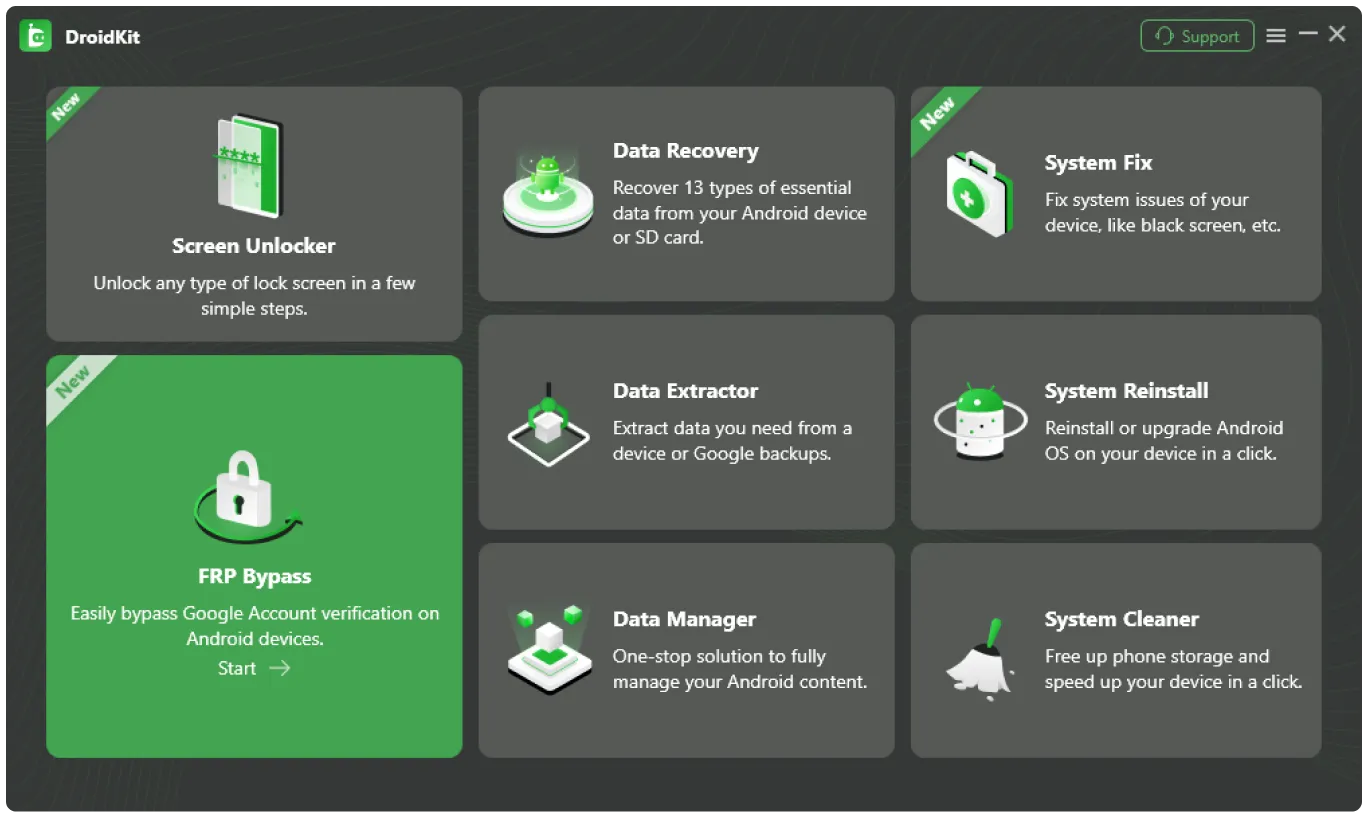
If official account recovery doesn’t work, reputable PC-based tools offer a more secure alternative to APK files. Programs like Dr.Fone, Aiseesoft, and iToolab have established reputations in device management and provide several advantages:
- They operate from your computer rather than directly on your phone, reducing security risks
- Regular updates ensure compatibility with the latest Android security patches
- Vendor support and documentation help guide you through the process
- These tools typically require verification of device ownership before proceeding
The Truth About Easy Flashing FRP Bypass 8.0 APK
The Easy Flashing FRP Bypass 8.0 APK and similar applications are widely discussed in online forums, but users should understand their nature:
Not Official Software: These APKs are not developed or endorsed by Google, Android manufacturers, or any official entity. They do not appear on the Google Play Store because they don’t meet security and policy requirements.
Potential Security Threats: Because these files are distributed through unofficial websites and forums, there’s no guarantee they’re free from malicious code. Installing such APKs can expose your device to viruses, data theft, and privacy violations.
Legal Gray Area: Even if these tools function as advertised, using them without proper authorization may violate laws in many countries, regardless of whether they technically work.
Your Safe Path Forward
If you need to regain access to an Android 8.0 device you legitimately own, follow this recommended approach:
Step 1: Attempt Official Account Recovery Start with Google’s account recovery process. Many users successfully regain access through this method, especially if they have access to backup email addresses or phone numbers linked to the account.
Step 2: Check Your Warranty and Contact Support Review your device’s warranty status and contact the manufacturer’s customer support. With proof of purchase, they may be able to help you through official channels without voiding your warranty.
Step 3: Consider Reputable PC-Based Tools If official methods fail, research and select a well-reviewed PC-based FRP removal tool from a trusted vendor. Read user reviews, check for company credentials, and ensure the software is regularly updated.
Step 4: Consult a Certified Technician As a last resort, visit a certified mobile device technician who can verify your ownership through documentation and use legitimate procedures to help you regain access to your device.
Conclusion
While the Easy Flashing FRP Bypass 8.0 APK might seem like a quick solution to your FRP lockout, the risks and legal concerns make it an option that should be avoided. Factory Reset Protection exists to protect you and your data, and circumventing it through unofficial means can create more problems than it solves.
By following official account recovery procedures, seeking manufacturer support, or using reputable PC-based tools, you can regain access to your device safely and legally. Remember, if you’re the legitimate owner of the device, there are always proper channels available to help you resolve FRP lockout issues without compromising your security or breaking the law.

Explore more Green Technology Tools
- Home Energy Audit: Save Energy And Save Money
- Smart Home Automation Protocols: The Complete Guide to Building Your Connected Home in 2025
- Battery Management Systems: Modern Energy Storage Intelligence
- Carbon Footprint Tracking Software: A Vital Tool for Sustainable Business Practices
- Wind Turbine for Home

